How to Understand Which Unified Cloud Security Platform You Need

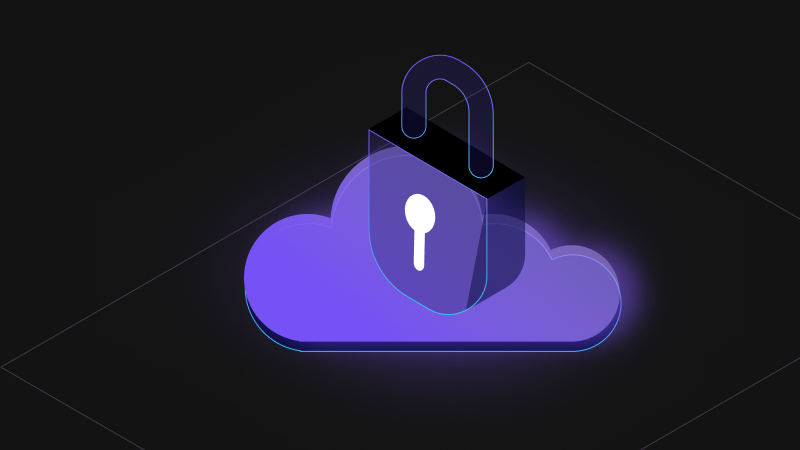
When businesses first move workloads and data to the cloud, the question of security often comes later than it should. Then reality sets in: sensitive data is everywhere, regulations are tightening, and attackers are growing bolder.
That’s when the search for a cloud security platform begins (and hopefully, it’s not too late).
If you’ve already looked at the state of the cloud security market, you know it’s crowded. Every vendor promises “comprehensive” or “all-in-one” protection. So how do you cut through the noise? This article will give you a framework for evaluating cloud security platforms in a way that helps you match the right tool to your organization’s priorities.
We’ll cover:
- What makes a platform “unified” (and why that matters)
- The features that separate effective cloud security products from checkbox tools
- How to align different cloud-based security software options with your risks and compliance needs
- Why preparing for post-quantum cryptography (PQC) is now part of the conversation
- A step-by-step process for evaluating and comparing solutions
Ultimately, you’ll feel more confident about which direction to take and, more importantly, why.
What Is a Unified Cloud Security Platform?
A unified cloud security platform is similar to the difference between buying a full-service health plan and piecing together separate policies for dental, vision and emergency care. Both approaches may technically have you covered, but only one gives you a clear, centralized way to manage risk.
A true platform brings encryption, access control, monitoring, and compliance into a single console something many organizations rely on a managed IT service provider to implement and maintain effectively. Rather than juggling half a dozen cloud security products, you’re looking at a consistent policy framework across workloads and environments.
This isn’t all about convenience, although that is a significant benefit. Enterprises that use unified platforms see measurable reductions in incident response times and integration overheads. It makes intuitive sense: the fewer seams you have in your architecture, the fewer gaps an attacker can exploit.
Checklist: The Core Features to Look for in Cloud Security Software
Evaluating cloud security software can feel like reviewing a long grocery list. But some items matter far more than others:
- Data encryption everywhere. It’s no longer enough to encrypt data only when it’s at rest or in transit. Look for tools that can protect data while it’s in use, whether through Confidential Computing or other advanced hardware protections.
- Key management and HSM integration. Centralizing control of encryption keys ensures consistency and auditability, which is especially important as organizations plan for quantum-safe cryptography.
- Identity and access controls. Misconfigured IAM is one of the top causes of cloud breaches. Any serious platform should provide seamless integration with your existing IAM stack.
- Built-in compliance checks. Automated reporting against GDPR, HIPAA, PCI DSS, or regional laws saves hours of manual work.
- Crypto-agility. Can the software adapt to new cryptographic standards without requiring a forklift upgrade? That flexibility may be the single most important feature over the next decade.
When comparing options, don’t just check the box. Ask yourself: Will this cloud computing security software actually reduce my organization’s risk, or does it just look good on paper?
Cloud-Based Security Software vs. Point Solutions
It’s worth taking a beat here because many organizations stumble on this point. Not every cloud-based security software package qualifies as a “platform.” Some are point solutions that are great at solving one problem but are limited in scope.
For example, a product that encrypts data in storage may work well for protecting a single bucket of files. But what happens when you need application-level controls, visibility across multi-cloud deployments, or centralized reporting for an audit? That’s where point tools often fall short.
Unified platforms deliver much greater consistency. So, instead of five dashboards, you get one. Instead of arguing about which system of record is accurate, you know where to look. That operational simplicity translates to better security outcomes because everyone in your organization is quite literally on the same page.
Where Does Post-Quantum Cryptography Fit In?
The looming wildcard in this conversation is post-quantum cryptography (PQC). For years, PQC felt like a distant concern. But NIST has already announced the first algorithms it plans to standardize, and timelines for adoption are coming into focus.
Why should this matter when choosing a cloud security platform? Because the data you encrypt today may need to stay protected for decades. If your platform can’t evolve to support quantum-resistant algorithms, you may be forced into a costly migration sooner than you’d like.
This is where Fortanix’s own tools—Key Insight (for crypto discovery and assessment) and Data Security Manager (DSM) (for crypto-agility and PQC transition)—help fill the gap. Even if you’re not ready to migrate now, building that flexibility ensures you’re not locked into legacy cryptography when quantum computing becomes practical.
If you’re evaluating vendors and they have no PQC story at all, that’s a warning sign.
What’s the Best Cloud Security Platform?
Every business has its own unique needs, so what’s “best” for one might not be ideal for another. Still, there’s a structured approach you can use when making your evaluation, whether you’re starting from scratch or consolidating tools:
- First, clarify your goals. Is your main driver compliance? Are you protecting intellectual property? Or is resilience across multiple clouds your top priority?
- Map your risks. Use established frameworks (NIST CSF, ISO 27001) to tie risks directly to controls. This keeps your evaluation grounded.
- Match features to your specific needs. Don’t get distracted by “nice to haves.” Focus on how each cloud security product aligns with your critical requirements.
- Weigh integration overhead. Adding five tools may feel safer, but each one creates another seam. A single cloud security platform can reduce both complexity and cost.
- Ask the hard crypto questions. How does the vendor handle key rotation? What’s their plan for PQC? Can they support hybrid cryptography during transitions?
- Test drive before committing. Free trials or demos reveal usability and reporting strengths that don’t show up in datasheets.
By following this process, you move beyond a vendor’s marketing claims and evaluate platforms against your needs in the real world.
Cloud Security Best Practices from the Field
Here are some additional anecdotal lessons from enterprises that have already walked this path:
- Involve both IT security and compliance teams in evaluations, as each will catch things that the other misses.
- Consider third-party research, such as Forrester's Wave on Cloud Workload Security or Gartner’s market guides, to benchmark options.
- Test incident response workflows in a pilot environment. A platform that slows your response isn’t solving the right problem.
- Ask for real case studies. If a vendor can’t share customer examples, their “enterprise readiness” may be overstated.
Again, there isn’t a “one-size-fits-all” solution, so it’s important to do your due diligence before making a long-term commitment.
Move Forward with Confidence
Choosing the right cloud security software is about finding a platform that aligns with your specific risks, compliance needs, and long-term cryptography strategy. Try not to be swayed by vendors who offer flashy dashboards or those with the biggest marketing budgets.
The best cloud security platforms unify protection, simplify management, and keep you ready for what’s next, whether that’s new regulations, a multi-cloud expansion, or the arrival of PQC.
If you’re evaluating options and want to see how Fortanix can help with crypto discovery, PQC transition, and unified key management, request a demo or contact us.